Imagine getting into your car, ready to hit the road, only to find the battery dead. Frustrating, right?
If you have a dash cam installed, you might be wondering, “Could this device be the culprit? ” Many drivers have the same question: Can a dash cam drain your battery? This concern is more common than you might think, and understanding it can save you from unexpected hassles.
You rely on your dash cam for security and peace of mind, but could it be secretly sapping your car’s energy? We’ll uncover the truth about dash cams and their impact on your battery life. We’ll explore how these devices work, what factors might contribute to battery drain, and, most importantly, how you can prevent it. Stick around to find out how to keep your battery strong while still benefiting from the safety and assurance that a dash cam provides.
What Is A Dash Cam?
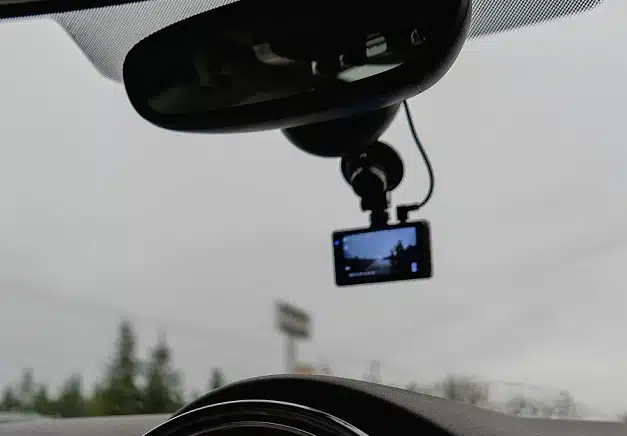
A dash cam, short for dashboard camera, records video while driving. It is mounted on the dashboard or windshield. Its primary role is capturing footage of the road ahead. Some models record the interior of the car too.
Dash cams can be a handy tool for drivers. They provide evidence in case of accidents. They help in resolving disputes and support insurance claims.
Functionality And Features
Dash cams have a variety of functions. They continuously record video, overwriting old footage. This ensures the latest events are always captured. Many models have G-sensors. These detect sudden movements or impacts.
Some dash cams offer GPS tracking. This records the vehicle’s speed and location. Night vision is another feature. It allows for clear footage in low-light conditions.
Popular Uses
Dash cams are popular among daily commuters. They provide peace of mind during trips. Taxi and rideshare drivers use them for safety. The footage can protect against false claims.
Fleet owners find dash cams useful too. They monitor driver behavior and ensure vehicle security. Even parents use them to keep an eye on teenage drivers.
Power Consumption Of Dash Cams
Understanding the power consumption of dash cams is crucial for car owners. Dash cams can enhance safety, but they draw power from your vehicle. This raises concerns about battery drain. Knowing their power needs helps manage this risk effectively.
Typical Power Requirements
Most dash cams operate with low power. They usually need between 1 to 5 watts. This power level is similar to charging a smartphone. Dash cams use minimal energy during driving. They connect to the car’s battery through the cigarette lighter or fuse box. This setup ensures they draw power only when the engine runs.
Influence Of Usage Patterns
Usage patterns affect dash cam power consumption significantly. Continuous recording consumes more power than motion-triggered modes. Parking mode can also impact battery life. In this mode, the dash cam stays active even when the car is off. Using parking mode for extended periods might drain the battery. It’s wise to monitor usage habits closely.
Battery Drain: Myth Or Reality?
Battery drain from dash cams: is it a myth or reality? As dash cams become more popular, many drivers worry about the impact these devices might have on their car battery. Could this tiny gadget really leave you stranded with a dead battery, or are these concerns just overblown? Let’s dig into the details.
Common Concerns
Many drivers fear that a dash cam could deplete their car battery, especially when the vehicle is parked. This worry often stems from the fact that dash cams can continue to operate in parking mode, capturing footage even when the engine is off. The idea of a constant power draw understandably raises alarms.
But not all dash cams are created equal. Some models are designed with energy-efficient features that minimize battery usage. Additionally, many have automatic shut-off functions to prevent significant power drain. So, the real question is, are these features enough to ease your concerns?
Evidence From Users
Some users report having experienced battery drain due to their dash cam. These instances often involve older vehicles with weaker batteries or dash cams that lack proper power management features. Yet, other drivers have used dash cams for years without any noticeable battery issues.
Consider John, who drives a 2015 sedan with a mid-range dash cam. He once left his car parked for a week while on vacation, and the vehicle started without a hitch upon his return. John’s experience suggests that for many, the risk of significant battery drain is minimal.
So, how can you ensure your dash cam doesn’t become a battery burden? Opt for models with low power consumption and smart shut-off features. And, if you’re still worried, a hardwire kit with a voltage cutoff could offer peace of mind by disconnecting the dash cam before it drains too much power.
Credit: www.tiktok.com
Factors Affecting Battery Drain
Dash cams can drain your car’s battery if left running while the engine is off. High-powered models, constant recording, and parking mode settings increase battery usage. Regularly check settings to prevent excessive drain.
Understanding what factors can lead to your dash cam draining your car battery is crucial in maintaining both your device and vehicle. It’s not uncommon for drivers to find themselves puzzled by a dead battery after installing a dash cam. But what causes this drain? Let’s dive into the key factors that could be impacting your car’s battery life.
Dash Cam Settings
The settings on your dash cam play a significant role in battery drain. Continuous recording can consume a lot of power, especially if your dash cam lacks an efficient power management feature. Motion detection settings can also impact battery usage. If your dash cam is set to record every minor movement, it could be draining your battery faster than anticipated. Adjusting these settings to balance performance and power consumption can make a big difference.
Vehicle’s Electrical System
Your vehicle’s electrical system is another crucial factor. A dash cam connected to a constant power source might keep drawing power even when the engine is off. To avoid this, consider using a smart power cable or a dedicated hardwire kit that turns off the dash cam when the ignition is off. This ensures that your car’s battery isn’t unnecessarily depleted.
Battery Health
The health of your car battery is a foundational element. An older or weaker battery is more susceptible to being drained by additional devices like dash cams. Regularly checking your battery’s health can prevent unexpected failures. If your battery is struggling to hold a charge, even a small additional load from a dash cam can lead to problems. Upgrading to a more robust battery might be a worthwhile investment if you’re heavily reliant on gadgets. Have you ever experienced a battery drain issue with your dash cam? By adjusting a few settings and understanding your vehicle’s electrical capacity, you can enjoy your dash cam without worry.
Preventing Battery Drain
Dash cams can drain your car battery if left on for too long. Use parking mode or a dedicated battery pack to prevent this. Regular checks help maintain battery health while using dash cams.
Preventing battery drain from a dash cam is crucial. It keeps your car’s battery healthy. A dash cam can be a helpful device. Yet, it might affect your car’s battery life. Follow these tips to avoid battery issues.
Choosing The Right Dash Cam
Select a dash cam with low power consumption. Check for energy-efficient models. Look for those with built-in voltage cut-off. This feature prevents excessive battery drain. Consider dash cams with motion sensors. They use less power when the car is parked. Some models even have energy-saving modes. Choose wisely to protect your battery.
Installation Tips
Proper installation is key. Connect your dash cam to the right power source. Use a dedicated power kit or hardwire it. This reduces the risk of battery drainage. Avoid using your car’s cigarette lighter socket. It might not offer consistent power. Make sure connections are secure. Loose wires can lead to power issues. Follow the manufacturer’s instructions closely.
Using Parking Mode Efficiently
Parking mode is useful, but be cautious. It records even when the car is off. Set it up to activate only when needed. Use a timer to limit recording time. This reduces battery usage. Adjust sensitivity settings to avoid false triggers. Consider a separate battery pack. It powers the dash cam without draining the car battery. Use parking mode wisely to protect your battery.

Credit: driveyetech.com
Technological Advances
As dash cams become an essential part of your driving experience, concerns about their impact on car batteries are common. Fortunately, technological advances have ushered in solutions that minimize battery drain while maximizing functionality. With innovations like low-power dash cams and smart power management systems, keeping your battery safe is easier than ever.
Low-power Dash Cams
Imagine driving for hours without worrying about your dash cam draining your battery. Low-power dash cams are engineered to consume less energy, making them perfect for long journeys. These devices often feature energy-efficient components and modes that reduce power usage when your vehicle is off.
Think of it like a smartphone on battery-saving mode. Even when the car is parked, these dash cams often enter a sleep mode, consuming minimal power. This technology ensures your vehicle starts reliably without the fear of a drained battery.
Smart Power Management
Smart power management systems elevate the dash cam game by intelligently managing power distribution. These systems detect when your car is off and automatically adjust power usage to prevent battery drain. It’s like having a personal assistant for your car’s electrical system.
Some dash cams even offer customizable settings, allowing you to decide when the device should power down. With smart power management, you can enjoy peace of mind, knowing your dash cam won’t leave you stranded with a dead battery.
Have you ever thought about how smart your car could be? These advancements make managing your vehicle’s tech simple and efficient. With low-power modes and smart management, you can keep your focus on the road while your dash cam operates seamlessly.
Expert Opinions
Many drivers worry about dash cams draining their car batteries. Different experts have opinions on this topic. Understanding these insights can help you make informed decisions.
Insights From Automotive Technicians
Automotive technicians often discuss battery concerns. They highlight how dash cams draw power. They note that most dash cams use very little power. When the car is running, battery drain is minimal. Technicians advise checking your car’s electrical system. This ensures it can handle extra devices. Regular maintenance prevents unexpected battery issues.
Recommendations From Dash Cam Manufacturers
Dash cam manufacturers provide helpful guidelines. They design products to be energy-efficient. Many recommend using parking mode features cautiously. Parking mode can drain batteries if left on too long. Manufacturers suggest using hardwire kits. These kits manage power use better. Some models have built-in voltage cut-off systems. These systems protect the battery by shutting off the dash cam.
Future Trends
Dash cams are growing in popularity as a tool for vehicle safety. As technology advances, these devices continue to evolve. The question of battery drain remains a concern for many users. Future trends in dash cam technology aim to address these concerns. New innovations promise to improve efficiency and battery performance.
Innovations In Dash Cam Technology
Dash cam manufacturers are exploring new technologies. These include energy-efficient processors and smart power management. These innovations help reduce the power consumption of dash cams. Some models now feature solar charging capabilities. This reduces the reliance on the car battery. Wireless data transfer is another trend. It allows users to access footage without draining power.
Impact On Battery Performance
Future dash cams are likely to impact battery performance positively. Advanced models use less power during standby. This minimizes the battery drain when the vehicle is off. Some dash cams come with built-in battery monitors. These alert users to potential drain issues. Improved battery technologies are also on the horizon. They aim to support longer usage without affecting the car battery.

Credit: www.vantrue.com
Frequently Asked Questions
How Much Does A Dash Cam Drain Your Battery?
A dash cam typically drains your battery minimally, using around 0. 5 to 1. 5 amps while operating. This is similar to a small electronic device, like a phone charger. Most cars handle this with ease, especially if you drive regularly.
For parked cars, a hardwired dash cam with a voltage cut-off feature is recommended.
How Do I Stop My Dash Cam From Draining My Battery?
Use a dash cam with a parking mode feature. Install a battery discharge prevention device. Disconnect the dash cam when parked for long periods. Consider using a separate battery pack for the dash cam. Regularly check your vehicle’s battery health.
What Drains A Car Battery When The Car Is Off?
Car battery drains when off due to parasitic draws like alarms, clocks, or faulty electrical components. Extreme temperatures can also affect battery life. Regularly check for issues to prevent battery drainage and ensure optimal performance. Disconnecting unnecessary devices helps maintain battery health.
What Is The Downside Of A Dashcam?
Dashcams can be distracting while driving. They might invade privacy by recording constantly. Some models are expensive and require regular maintenance. Installation can be complex, and footage storage demands space. Legal restrictions might exist in certain areas, impacting usage.
Conclusion
A dash cam can affect your car battery. It depends on its usage. Most dash cams use minimal power. But, leaving it on constantly may drain the battery. Use it wisely to avoid issues. Consider a power management device. This can help prevent battery drain.
Always check your car’s battery health regularly. This ensures your dash cam runs smoothly. Making informed choices protects your vehicle. Your dash cam is a helpful tool. But, it needs careful use to avoid problems. Stay aware and enjoy safe driving.