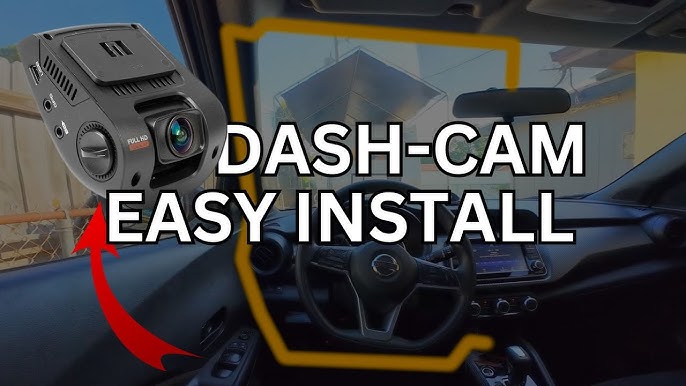
Imagine this: you’re driving down the road, and suddenly, an accident happens right in front of you. With a dash cam installed in your car, you have a clear record of the event, protecting you from disputes and ensuring you have evidence when you need it most.
If you’ve been considering adding this smart tool to your vehicle, you’re in the right place. Installing a dash cam might seem daunting, but it’s simpler than you think. In this guide, you’ll discover step-by-step instructions tailored to make the process as easy as possible.
You’ll learn not only how to set up your dash cam but also how to position it for optimal viewing. Plus, you’ll get tips on choosing the right model for your needs. By the end, you’ll have the confidence to do it yourself and enjoy peace of mind on every journey. Ready to dive in and make your car safer? Let’s get started!
Choosing The Right Dash Cam
Choosing the right dash cam is crucial for capturing your journey. A suitable dash cam ensures you record clear and reliable footage. Understanding what features to prioritize can make your decision easier. Let’s explore how to pick the best dash cam for your needs.
Features To Consider
Focus on key features that enhance your dash cam experience.
- Resolution:High resolution offers clearer video footage.
- Night Vision:Essential for recording in low light conditions.
- Field of View:A wider angle captures more of the road.
- G-Sensor:Automatically saves video during sudden stops or impacts.
- Loop Recording:Enables continuous recording by overwriting old files.
Budget-friendly Options
You can find dash cams that fit various budgets. Even affordable options offer essential features. Consider these budget-friendly choices:
- Basic Models:Offer essential recording without extra features.
- Compact Designs:Easy to install and less intrusive.
- Discounted Brands:Often provide reliable performance at lower costs.
Top Brands To Explore
Some brands consistently deliver quality and reliability. Consider these top brands when selecting a dash cam:
- Garmin:Known for user-friendly designs and robust features.
- Nextbase:Offers a variety of models with advanced technology.
- VIOFO:Praised for high resolution and affordability.
- Thinkware:Provides excellent video quality and safety features.
Preparing For Installation
Installing a dash cam can enhance your driving safety and provide valuable footage. Before you start, proper preparation is key. This ensures a smooth installation process. Let’s dive into the essential steps for getting ready.
Gathering Necessary Tools
First, make sure you have all the needed tools. Basic tools include a screwdriver and cable ties. You might also need a pry tool to tuck in wires. Check the dash cam package for any specific tools required. Having everything ready saves time and effort.
Understanding Your Vehicle’s Interior
Familiarize yourself with your car’s interior layout. Identify the power source locations, like the cigarette lighter or USB ports. Note where the windshield meets the dashboard. This helps in deciding the best camera placement. Knowing your car’s design aids in a cleaner installation.
Safety Precautions
Ensure safety while working inside your car. Turn off the vehicle’s engine before starting. Keep the parking brake engaged. Avoid working on a hot engine or in extreme weather conditions. Wear gloves to protect your hands from sharp edges. Safety first to prevent accidents.
Mounting The Dash Cam
Start by cleaning the windshield where the dash cam will be mounted. Attach the dash cam with the adhesive pad or suction cup, ensuring it faces the road clearly. Connect the power cable, routing it along the car’s interior to avoid obstructions.
Mounting the Dash Cam is a crucial step to ensure it captures the best footage possible. With various options available, choosing the right mounting strategy can make all the difference. Whether you’re a seasoned driver or new to dash cams, finding the perfect mount and location can be a game changer. Dive into these straightforward tips to make your dash cam installation smooth and effective.
Selecting The Optimal Location
Where you place your dash cam can affect both its visibility and functionality. Consider the central point of your windshield, just behind the rear-view mirror. This spot usually offers an unobstructed view of the road while keeping the device discreet. Think about possible obstacles. Sun visors or decorative windshield decals can block the camera’s view. Before sticking your dash cam, test different locations by holding it up and assessing the view. Do you see the entire road or is there a blind spot?
Types Of Mounts
Dash cams come with various mounting options, each with its own advantages. The suction cup is popular for its flexibility. You can easily reposition it or remove it entirely without leaving marks. However, it might lose grip over time, especially in extreme temperatures. Adhesive mounts offer a more permanent solution. They stick directly to the windshield, providing a stable hold. If you choose this option, ensure your placement is perfect before attaching, as it can be tricky to remove without leaving residue.
Ensuring Stability
A stable mount ensures your dash cam doesn’t wobble, which can lead to shaky footage. After mounting, give your dash cam a gentle shake. If it moves, consider adjusting or tightening the mount. Regularly check your dash cam’s stability, especially after long drives or exposure to temperature changes. A dash cam that’s securely mounted will deliver consistent and clear footage. Ever faced unexpected bumps on the road? A securely mounted dash cam will maintain its position, allowing you to focus on driving safely rather than worrying about equipment.

Credit: www.youtube.com
Connecting The Power Supply
Connecting the power supply is crucial for dash cam installation. Locate the power source, usually the vehicle’s fuse box, and use a compatible power cable to connect the dash cam securely. Ensure connections are tight to avoid disruptions.
Connecting your dash cam to a power source is crucial for its operation. The right power connection ensures your dash cam records seamlessly. Let’s explore different methods to connect the power supply effectively.
Using The Cigarette Lighter Socket
This is the simplest method. Plug the power cable into the dash cam. Connect the other end to the car’s cigarette lighter socket. This method requires no technical skills. It allows easy removal of the dash cam. However, it can clutter your dashboard.
Hardwiring To The Fuse Box
Hardwiring offers a more permanent solution. It hides cables for a cleaner look. Locate your vehicle’s fuse box. Use a hardwire kit to connect the dash cam to a constant power source. This method requires some technical knowledge. It is best for those comfortable with car electronics.
Battery-powered Options
Battery-powered dash cams offer flexibility. They operate independently of the car’s power. Charge the battery using a USB cable or solar panel. This option is useful for temporary setups. It eliminates the need for cables, providing a neater appearance.
Configuring Dash Cam Settings
Configuring dash cam settings ensures optimal performance. Adjust video quality, loop recording, and motion detection for best results. Secure the dash cam and connect it to a power source to complete the setup.
Configuring the settings on your dash cam is crucial. It ensures optimal performance and tailored functionality. By adjusting these settings, you can capture clear footage and maximize your dash cam’s features.
Adjusting Resolution And Frame Rate
Resolution determines the clarity of your recordings. Higher resolution provides sharper images. Check your dash cam’s settings menu. Choose a resolution that fits your storage capacity. Frame rate impacts video smoothness. Standard frame rate is 30 frames per second. Opt for higher frame rates for smoother playback.
Setting Up Date And Time
Accurate date and time stamps are essential. They help verify incidents and footage timelines. Access the date and time settings. Ensure they match your local time zone. Regularly update these settings for accuracy.
Enabling Features Like Gps
GPS tracking enhances your dash cam’s functionality. It records location data with video footage. Navigate to the GPS settings menu. Enable GPS to track your routes. This feature is valuable for evidence and navigation assistance.
Credit: www.tiktok.com
Testing The Dash Cam
You’ve installed your dash cam, and now it’s time for a crucial step—testing it. This ensures your device functions optimally, capturing clear footage and staying securely mounted. Testing might seem straightforward, but it holds the key to effective use. Imagine rushing to review footage after an incident, only to find it’s blurry or missing. Let’s delve into the testing process to avoid such surprises.
Checking Video Quality
Start by reviewing the video quality. Is it clear and sharp? Check both day and night recordings. A dash cam should capture details like license plates and road signs, even in low light. Experiment with different settings. Adjust the resolution and frame rate. Higher settings might consume more storage, but they’re worth it for clearer footage.
Ensuring Secure Mounting
A shaky dash cam can ruin your recordings. Test its stability by driving on various roads. Does it stay put on bumpy terrain? If not, consider repositioning or using additional adhesive. A secure mount is crucial for consistent footage. Imagine missing an important event due to a loose mount. Take the time to ensure it’s firmly in place.
Reviewing Recorded Footage
Finally, review the recorded footage. Check for any gaps or missing segments. Does the cam record continuously? Some dash cams might have issues with loop recording. Make sure the device captures every moment seamlessly. Regularly check the footage to identify any technical glitches. This proactive approach can save you from frustrating moments later.
Troubleshooting Common Issues
Installing a dash cam can be straightforward. Yet, you may face common issues. These issues can include power supply, mounting, and recording errors. Understanding how to troubleshoot these problems is essential.
Fixing Power Supply Problems
Check if the dash cam is securely connected. Ensure the power cable is fully inserted. Inspect the cable for any visible damage. A faulty cable can prevent power supply. Test the power outlet with another device. Sometimes, the outlet itself may be defective. If using a fuse box connection, verify the fuse is intact. A blown fuse will disrupt power flow.
Resolving Mounting Issues
Ensure the mount is clean and dry. Dust or moisture can affect adhesion. Use a cleaning solution to wipe the surface. Position the mount correctly for optimal view. Adjust the angle to avoid blind spots. For suction mounts, ensure the surface is smooth. Rough surfaces can hinder suction ability. If using adhesive mounts, wait 24 hours before use. This allows the adhesive to set properly.
Addressing Recording Errors
Verify the memory card is compatible. Some dash cams require specific card types. Format the card using the dash cam menu. An unformatted card may not record. Check the card for physical damage. A damaged card can lead to errors. Ensure the camera firmware is up to date. Updates can fix recording glitches. If problems persist, reset the dash cam settings. A reset can clear minor errors.
Maintenance Tips
Installing a dash cam can enhance your driving safety. Begin by selecting a suitable spot on your windshield. Attach the dash cam securely using the adhesive or mount provided. Finally, connect the power cable to your vehicle’s power source. Regularly check the camera’s functionality for optimal performance.
Maintaining your dash cam ensures it functions optimally. Proper care enhances its lifespan and performance. Here are some essential maintenance tips to keep your dash cam in top shape.
Regular Cleaning
Clean your dash cam weekly. Dust and grime can obscure the lens. Use a soft cloth to wipe the camera gently. Avoid harsh chemicals as they can damage the screen. Ensure the camera lens is clear for quality video.
Software Updates
Check for software updates regularly. Updated software improves functionality and security. Visit the manufacturer’s website for updates. Follow instructions to install updates correctly. Updated software prevents glitches and enhances performance.
Storage Management
Monitor your storage space often. Dash cams record continuously, filling storage quickly. Transfer old footage to a computer or external drive. Delete unnecessary files to free up space. Full storage can cause recording errors. Adjust settings to overwrite old files automatically.

Credit: www.youtube.com
Frequently Asked Questions
Can I Install A Dashcam Myself?
Yes, you can install a dashcam yourself. Ensure you follow the manufacturer’s instructions carefully. Most dashcams come with simple installation guides. Use basic tools like screwdrivers and cable clips. Place the dashcam on the windshield for optimal view. Always check the power connection and settings before use.
Is There A Dashcam Without Wires?
Yes, wireless dashcams exist. These models use batteries and Wi-Fi connectivity, reducing the need for wiring. They offer easy installation and portability, enhancing vehicle security without complicated setups. Perfect for those seeking hassle-free recording solutions, wireless dashcams provide convenience and flexibility in monitoring road activity.
Do I Have To Tell Cops I Have A Dash Cam?
You are not legally required to inform police about your dash cam. Sharing footage can be voluntary if helpful. Ensure the dash cam operates legally and footage is relevant to the situation. Always consult legal advice if uncertain about sharing dash cam evidence.
Do I Need To Tell My Insurance If I Get A Dash Cam?
Yes, inform your insurance about your dash cam. It may lower premiums or aid in claims. Always update them for accurate policy details.
Conclusion
Installing a dash cam is simple and beneficial. It enhances safety on the road. Follow the steps carefully for best results. Ensure the camera is mounted securely. Check the lens position for clear view. Don’t forget to connect the power.
Keep the wires tidy to avoid distractions. Test the dash cam before driving. These steps ensure the dash cam works well. Now, drive with confidence knowing you’re protected. Enjoy the peace of mind that comes with recording your journeys. With a dash cam, you capture the unexpected moments on the road.